TotalMix FX 2.0 / 1.991 – Overview
TotalMix FX 2.0 represents a major architectural update to RME’s routing and mixing software, introducing a modern graphics engine, scalable user interface, and numerous workflow enhancements. At the same time, version 1.991 is maintained as a fully updated legacy alternative for maximum compatibility. TotalMix FX 2.0 is available now as part of the latest driver package or as a standalone app for supported RME interfaces.
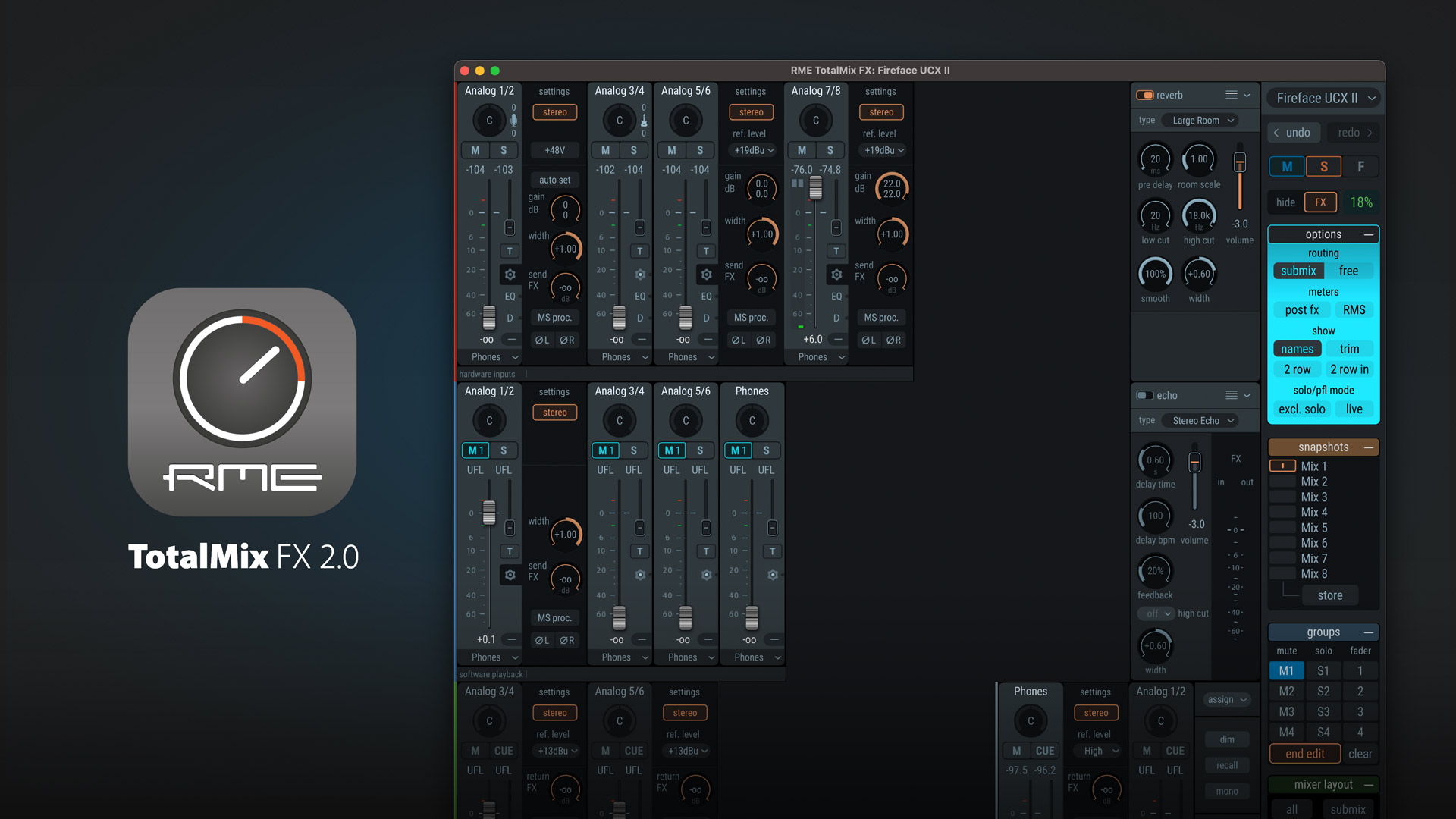
Modern Graphics Engine and Scalable UI
TotalMix FX 2.0 replaces the previous bitmap-based interface with a hardware-accelerated graphics engine. This enables:
- Freely scalable user interface from small windows to full screen
- Smooth zooming into Mixer and Matrix views
- Resolution-independent rendering optimized for modern displays
- The interface adapts dynamically to different screen sizes and DPI settings, including multi-monitor setups.
Because free scaling cannot guarantee pixel-perfect alignment on low-resolution displays, the classic (legacy) design remains available and can be toggled at any time via Window → Toggle Old/New Design. This ensures optimal usability across all systems.
Advanced Scaling and Zoom
TotalMix FX 2.0 introduces flexible zoom and scaling controls:
- Mixer and Matrix support zoom via mouse wheel or trackpad gestures
- Automatic scrollbars appear when content exceeds window size
- One-click return to window-fitting scaling
- Independent scaling of the Control Strip (sidebar)
- Presets via Window → Set Scale To
Room EQ automatically adapts to window size while maintaining consistent control proportions.
Visual and Workflow Enhancements
- New Light Theme and additional brightness/contrast options in Preferences
- Improved visual feedback (hover highlights, clearer channel focus)
- Channel layout colors now tint entire channels
- Dialogs open closer to the relevant UI element to reduce mouse movement
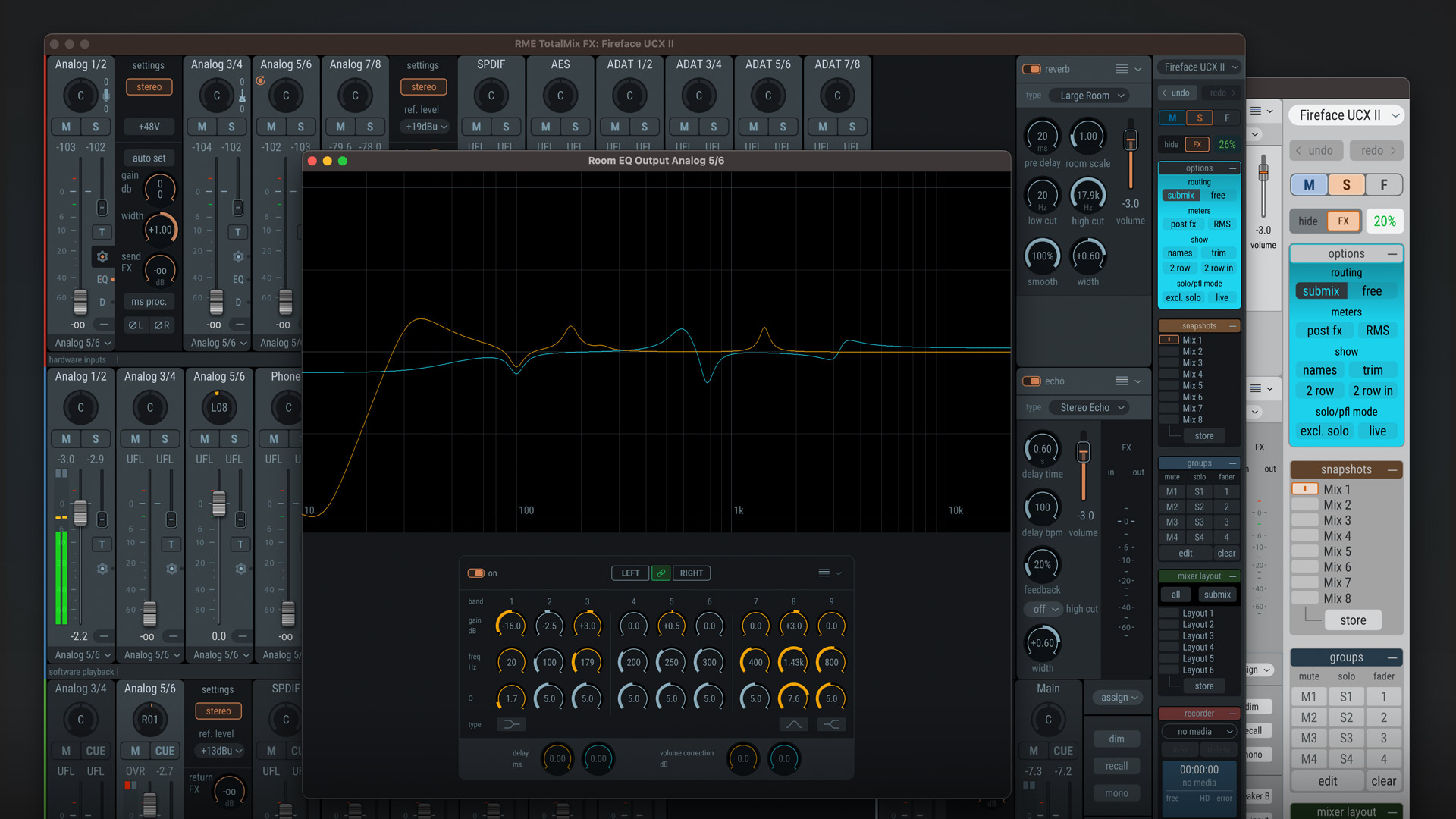
New Features and Functional Enhancements
- Extended Snapshot handling:
Load Room EQ, Groups, and Record/Play independently - New option: Reduce volume peaks on Snapshot load
- Undo/Redo support (Ctrl-Z / Ctrl-Y)
- Peak meter reset via shortcut (R)
- Improved workspace and window handling (including DPI-aware behavior)
- Room EQ enhancements:
- Preset name display with change indication
- Volume calibration and delay included in Snapshot loading - Additional improvements include ARM (Snapdragon) compatibility, enhanced device handling, and expanded hardware support (e.g., DirectOut USB.MADI SFP).
Stability and Fixes
Version 2.0 / 1.991 includes numerous fixes and optimizations, including:
- Improved Matrix and Room EQ window behavior
- Better multi-user file handling
- MIDI and ARC USB compatibility fixes (including Windows 11 MIDI 2.0)
- Reduced unnecessary background processes
- Improved application state recovery in case of graphics errors
System Requirements
Windows
- Windows 10 or higher
- Graphics hardware with Direct3D 12 support
Older graphics hardware (especially legacy Intel GPUs) may not be supported.
macOS
- macOS 10.15 or higher
- Metal-capable graphics hardware
TotalMix FX 1.991 – Legacy Version
For compatibility with older systems, TotalMix FX 1.991 remains included in the installer. Although based on the classic interface, version 1.991 has been fully updated during the 2.0 development cycle and includes:
- All new features and workflow improvements (where technically possible)
- Numerous bug fixes and optimizations
This makes 1.991 the recommended choice for systems that do not meet the requirements of version 2.x or where the classic UI is preferred.
Installation
RME offers an installer for Mac and Windows that makes it easy to update. The installer not only replaces the older TotalMix FX (version 1.99 and below) with the newer version 2.0, but also offers the change to version 1.991. This is done in a few seconds, no reboot required.
Summary
TotalMix FX 2.0 delivers a future-proof user interface and enhanced usability while maintaining RME’s core strengths in precision routing and reliability. With the parallel availability of version 1.991, users can choose the optimal solution for their specific system and workflow. For a complete list of changes, please refer to the latest readme file included in the installer archive.
Downloads
Installation Guide
How to install the latest RME Audio driver for macOS 11 and up on Intel or M1/M2 Chipsets